


- Blog Post
- Step Inside Accounting, Self-Employee
Self-employed in Portugal: 5 rules and a calendar so you never miss a deadline
Step Inside Accounting · Practical guide
#StepInsideAccounting
1. When you open your activity
- Open your activity on the Portal das Finanças with the right code, your expected turnover and your VAT regime – see how in our article on opening your activity.
- Social Security is notified automatically. If it is your first time, you have 12 months without contributions.
- Get e-fatura ready: always give your tax number (NIF) on your business expenses.
2. Every month
- Invoicing: issue the invoice by the 5th working day after you finish the service (by the 15th of the following month if the client is a business in another EU country) – see the step-by-step guide to the fatura-recibo.
- Social Security: pay the previous month’s contribution between the 10th and the 20th, once the first 12 months are over.
- Thresholds: add up what you have invoiced during the year. The €15,000 mark decides the VAT exemption and the withholding waiver.
3. Every quarter
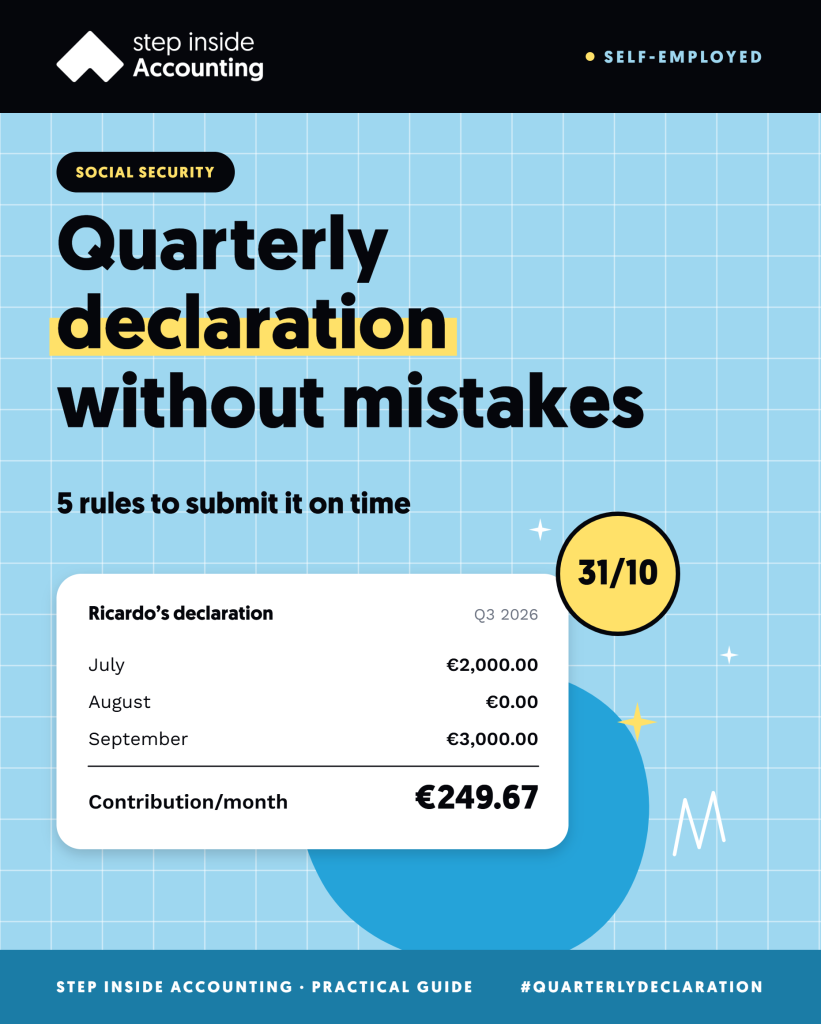
- Social Security: submit the quarterly declaration by the end of January, April, July and October.
- VAT (only if you charge VAT): submit the return by the 20th of the second month after the end of the quarter and pay by the 25th.
- Recapitulative statement (only if you charge VAT and have business clients in other EU countries): by the 20th of the month after the end of the quarter.
4. Every year
- February: by the end of the month, classify last year’s business expenses on e-fatura – they count towards the 15% rule.
- April to June: file your IRS return, with the self-employed annex and the Social Security annex, which shows how much you invoiced to each client.
- July, September and December: pay your payments on account, if you have any.
- January: confirm the previous year’s income with Social Security.
5. Whenever something changes
- You change activity, address or VAT regime: submit a declaration of changes of activity within the next 15 days.
- You go over €15,000: see what changes in our article on the €15,000 threshold.
- You stop working: submit the declaration of cessation within the next 30 days. With Social Security, the obligation to contribute ends the following month.
When a deadline falls on a weekend or public holiday, it moves to the next working day.
The year’s calendar
| Month | Finanças (tax) | Social Security |
|---|---|---|
| January | Recapitulative statement (20th), if applicable | Quarterly declaration and annual confirmation (31st) |
| February | Q4 VAT (20th and 25th); e-fatura (end of month) | – |
| April | Recapitulative statement (20th); IRS filing opens (1st) | Quarterly declaration (30th) |
| May | Q1 VAT (20th and 25th) | – |
| June | IRS (30th) | – |
| July | 1st payment on account and recapitulative statement (20th) | Quarterly declaration (31st) |
| August | Q2 VAT (20th and 25th) | – |
| September | 2nd payment on account (20th) | – |
| October | Recapitulative statement (20th) | Quarterly declaration (31st) |
| November | Q3 VAT (20th and 25th) | – |
| December | 3rd payment on account (20th) | – |
Every month: Social Security contributions between the 10th and the 20th.
Example
Inês is a consultant, charges VAT and has business clients in Portugal and Germany. In July 2027 she has four obligations:
- by 20 July: June’s Social Security contribution, €299.60;
- by 20 July: 1st IRS payment on account, €780;
- by 20 July: recapitulative statement for Q2, with the invoicing to the German company;
- by 31 July: Social Security quarterly declaration, with her invoicing from April to June.
In July, Inês pays €1,079.60 (€299.60 + €780) and submits two declarations. In August comes the Q2 VAT return. With the calendar in view, nothing takes her by surprise.
Team tip
Copy this calendar into your diary in January, with a reminder one week before each deadline. And keep the money apart from day one: the VAT you charge, Social Security and IRS are not yours – in a separate account, they are there when the deadline comes.
Want us to handle this for you?
Companies
Monthly accounting
Bookkeeping, tax obligations and managing partners’ salaries, all in one place.
€250 + VAT / month
Self-employed
Recibos verdes without the stress
Tax returns, VAT and Social Security handled by people who know the regime inside out.
from €80 + VAT / month
This article is for information only and does not replace professional advice. Figures and rules are those in force at the date of publication and may change.
Explore more resources
Share with someone who needs it
Want to know more? Explore the other Step Inside Accounting resources
- Blog Post
- Step Inside Accounting, Company
- Blog Post
- Step Inside Accounting, Self-Employee
- Blog Post
- Step Inside Accounting, Self-Employee